From the site you have to the one you'll want.
Your new homepage comes first. Everything else, only if you want it.
You only invest once the preview wins you over.
01 / 04 · Send your current site
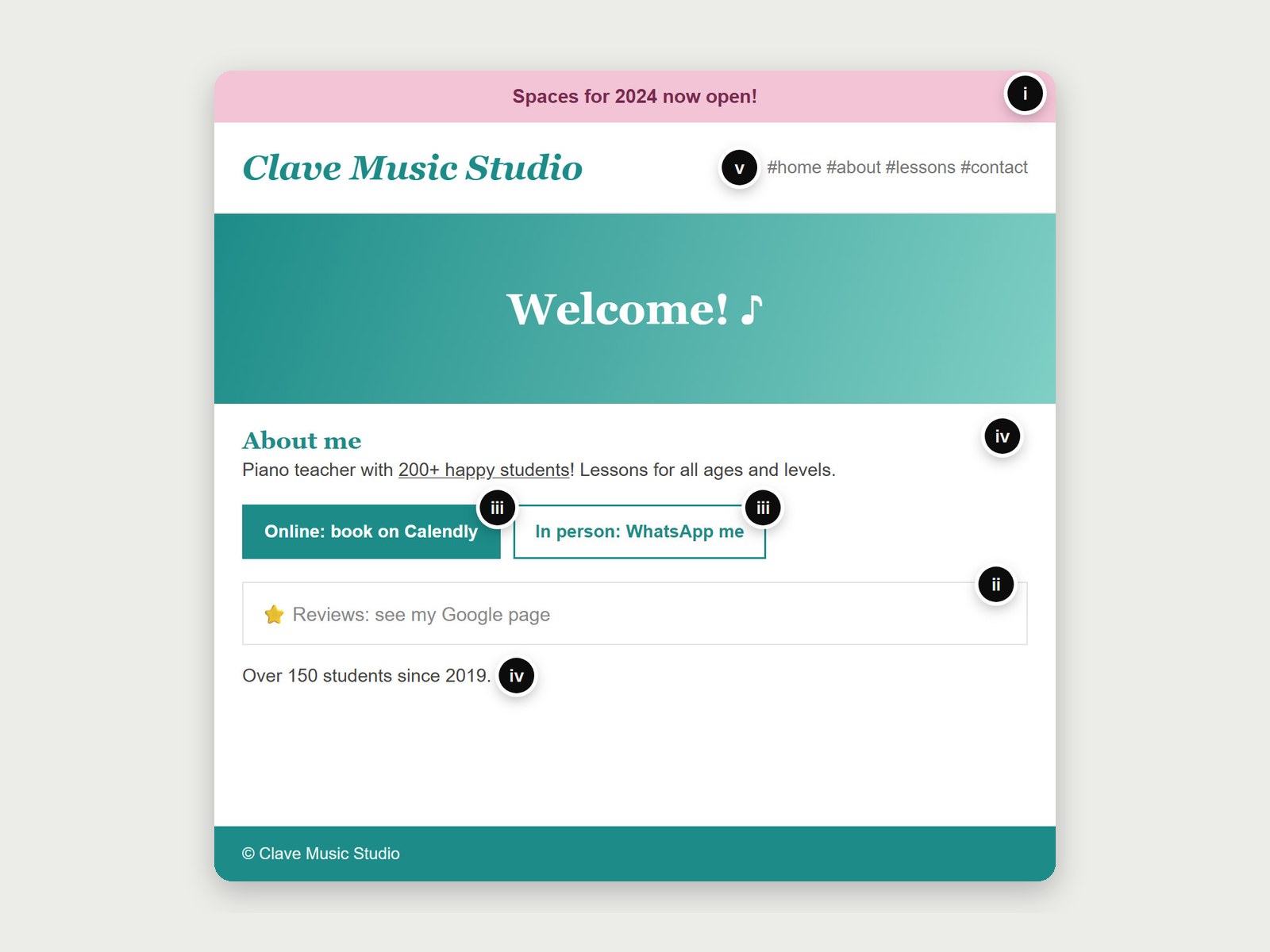
- iAn old notice still live.“Spaces for 2024 now open!”
- iiThe reviews live on another site.“Reviews: see my Google page.”
- iiiBooking split in two.Online on Calendly, in person by WhatsApp.
- ivNumbers that disagree.“200+ happy students” above, “over 150” below.
- vThe menu only scrolls.“#home #about #lessons #contact”.
Step 1: you send your current site
Just the address and a line on what you teach or offer. I read every page: your About, your reviews and the words your clients or students use.
02 / 04 · Get the preview
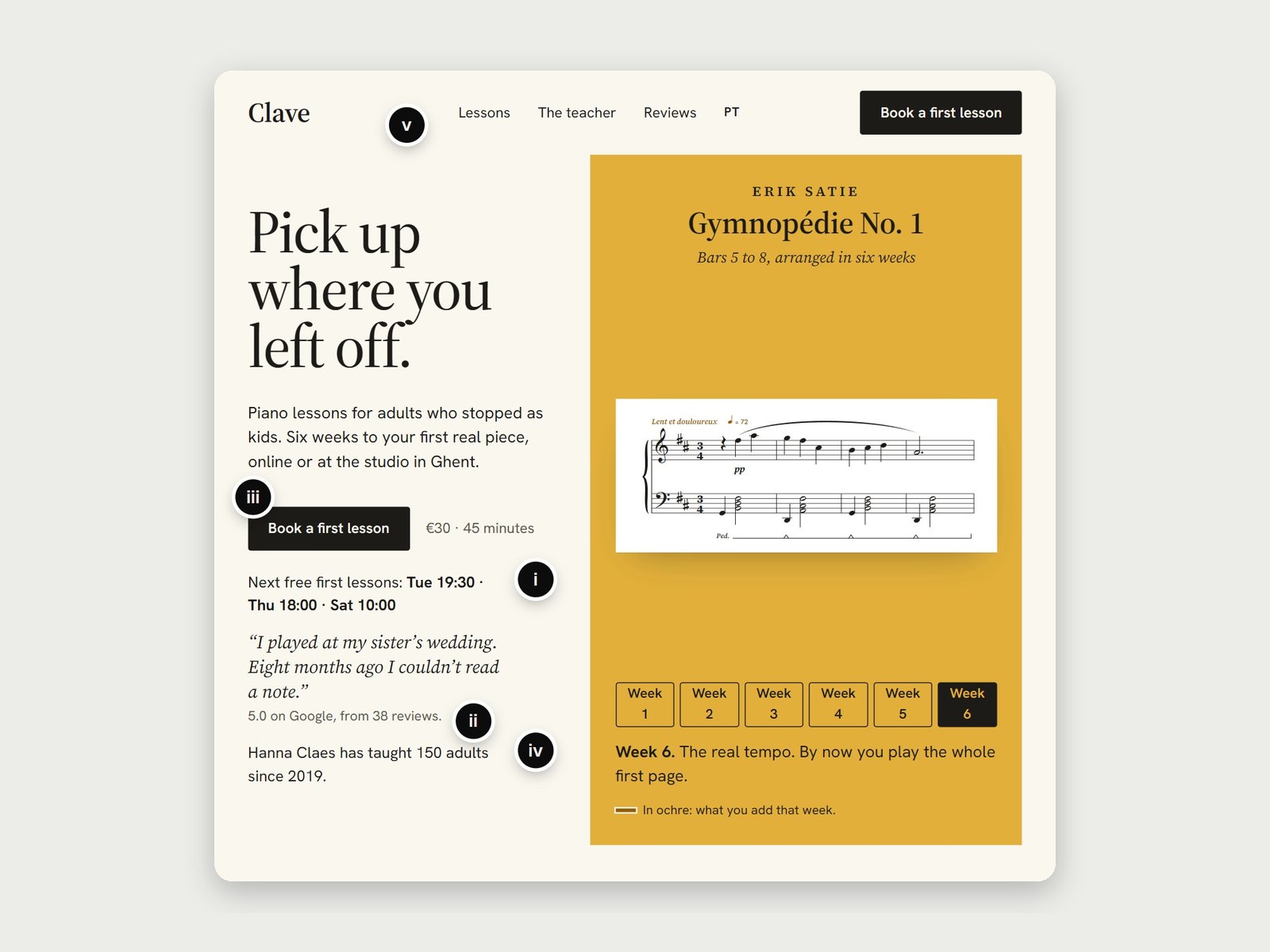
- iThe next free first lessons, with their times.
- iiA real review, 5.0 from 38.
- iiiOne button: Book a first lesson.
- ivOne number: 150 adults since 2019.
- vLessons, The teacher and Reviews in the menu.
Step 2: you get the preview
Built with what's already on your site. Every word will feel familiar. The page won't.
03 / 04 · Ask for the proposal
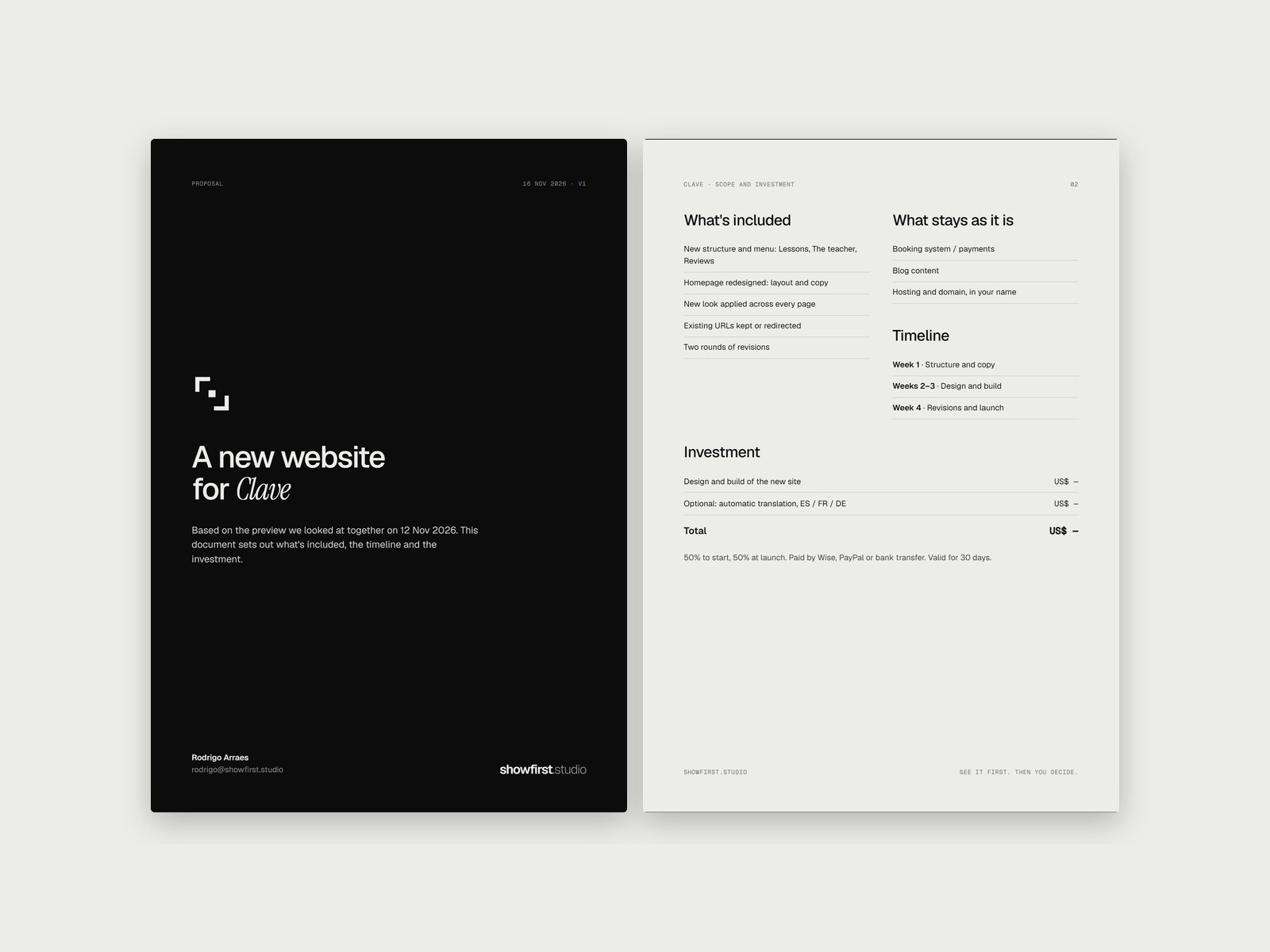
Step 3: if it makes sense, you ask for the proposal
Scope, weeks and price for the project, in writing and fixed. If it doesn't make sense, the preview is yours to keep.
04 / 04 · I create your new site
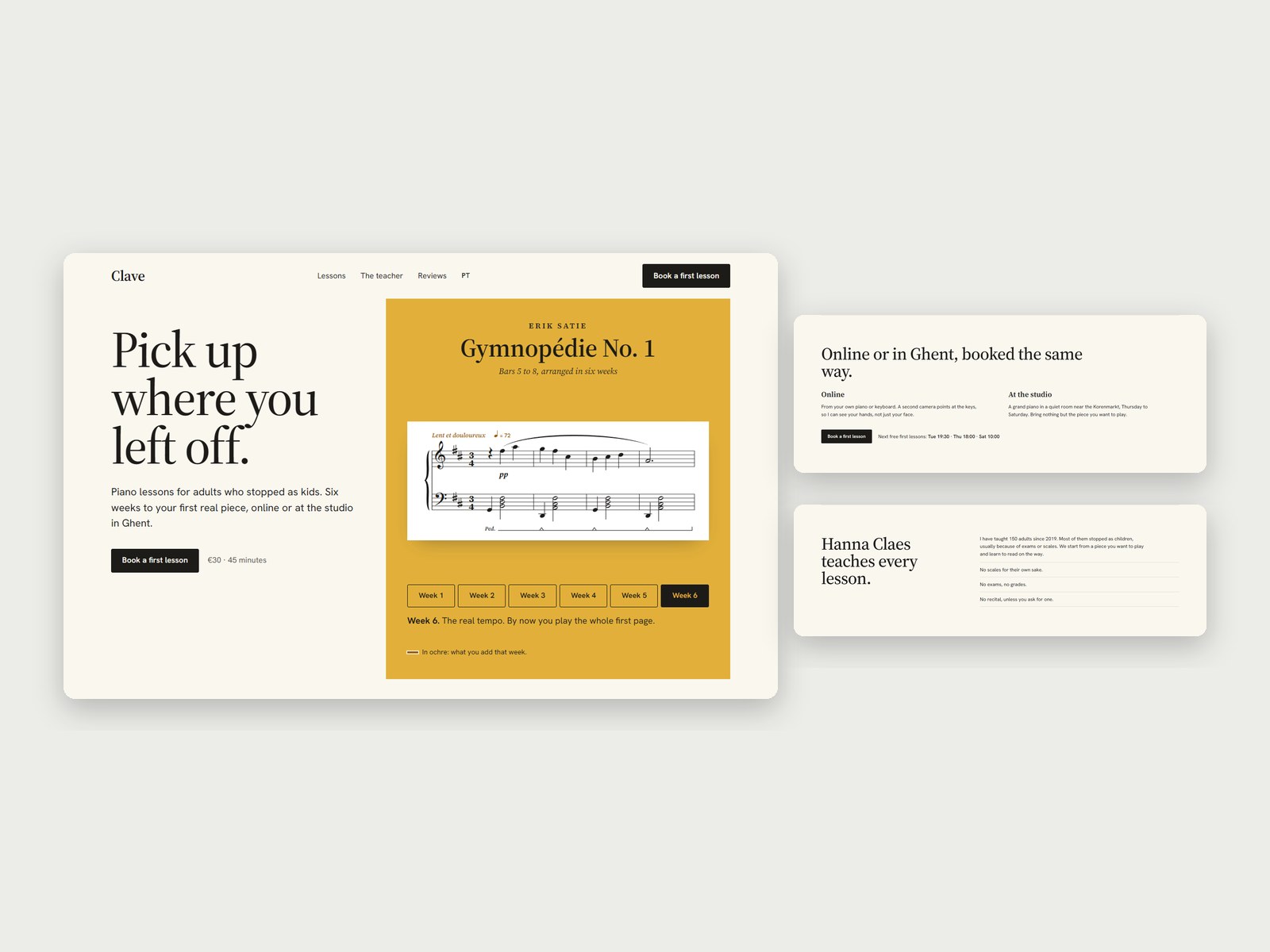
Step 4: I start working on your new site
Exactly as agreed in the proposal. You only invest here, not before.
What's included
What a website project includes
Everything below is done by me, the same person who made your preview, from first view to launch.
- Your homepage, built from the preview
- Every page in the new look, same content
- A menu where every link leads to a real page
- Links people saved still open the right page
- Built to read well on a phone
Not included: monthly maintenance and custom booking or payment systems. Yours stay as they are.
Still have a question?
Anything else, ask in the request form. I answer every request.
Write to me with the form